


Menu Design
How to create an effective digital menu
Learn the best practices for designing a digital menu that engages customers and drives sales.
Tably lets restaurants create a digital menu, take orders, and call staff — all from a simple QR code on the table.
















Get started in three simple steps. No apps. No hassle.
No app download required. Works instantly on any phone.
Customers see photos, categories, and prices that are always up to date.
Your team receives orders and table requests instantly.
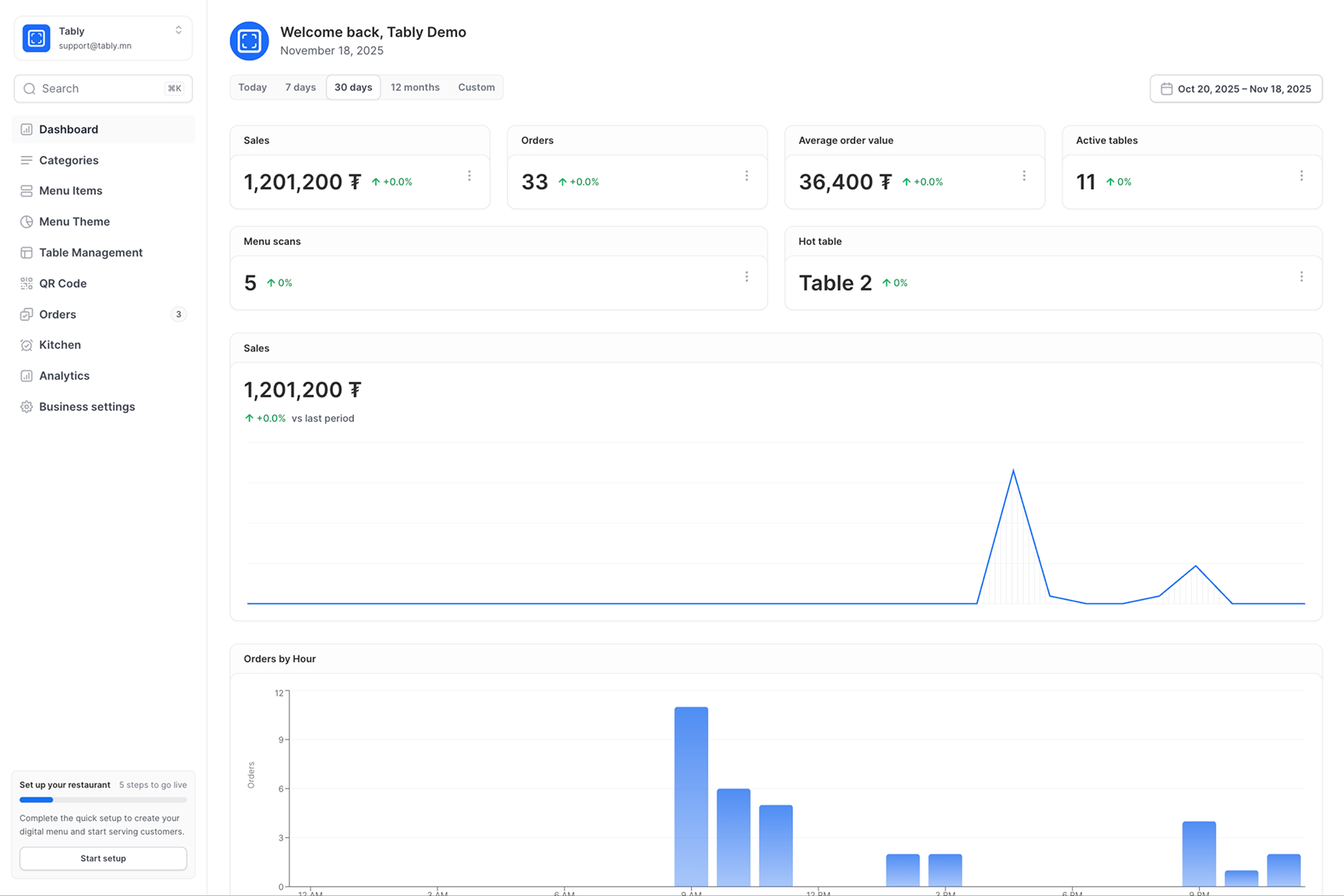
Manage kitchen, waiter flow, tables, and analytics in one place—so your team stays fast and coordinated.
See incoming orders in real time, track preparation status, and keep service moving.
Manage tables, place orders, and send updates to the kitchen without back-and-forth.
Monitor table status, peak hours, and top-selling items to make better decisions.
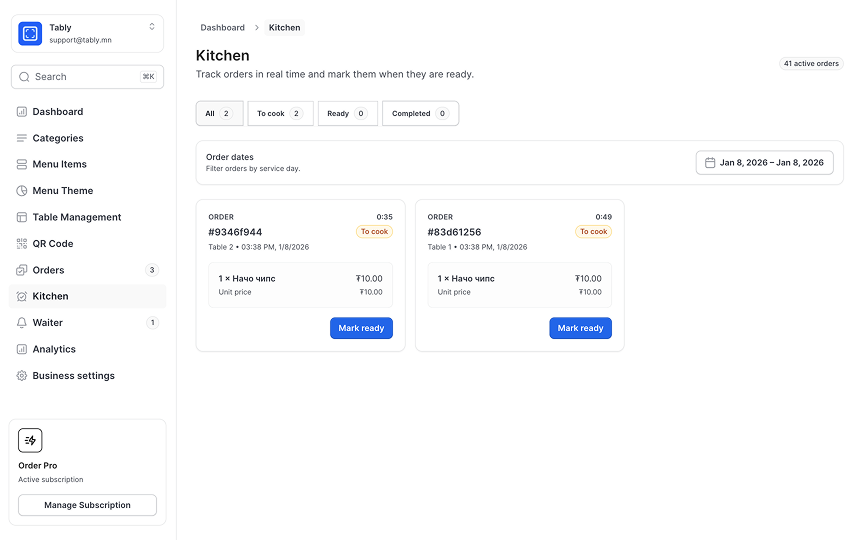
Tools for kitchen flow, waiter coordination, table control, and actionable analytics.
Keep everyone aligned—from order in to served—with clear statuses and updates.
Reduce delays with a streamlined process for staff and the kitchen.
Track top items, peak hours, and trends to optimize operations.
Share updates instantly so the floor and kitchen stay in sync.
Configure menus, tables, and roles to match how your restaurant runs.
Faster service and fewer mistakes create happier customers.
Our blog
Tips and strategies to help restaurants thrive with digital menus and improve customer experience.
Learn the best practices for designing a digital menu that engages customers and drives sales.

A complete guide to setting up your QR menu system and maximizing its benefits for your restaurant.
Discover how digital QR menus can boost your restaurant's sales and improve customer satisfaction.
Everything you need to know about our QR menu platform.
Setting up QR codes is simple and takes just a few minutes. After signing up, you'll create your menu, add categories and items, and then generate unique QR codes for each table. Print the codes and place them on your tables - customers can scan them with any smartphone camera to view your menu instantly.
Yes! You can update your menu anytime from your dashboard. Changes to prices, items, descriptions, and availability are reflected immediately on your customers' devices. No need to reprint menus or update physical signage - just make your changes and they're live.
No app required! Customers simply scan the QR code with their phone's built-in camera, and the menu opens instantly in their web browser. This provides a seamless experience without any barriers to access your menu.
Absolutely. You can customize your menu with your restaurant's branding, colors, logo, and photos. Upload high-quality images of your dishes, organize items by categories, and create a menu that reflects your restaurant's unique style and atmosphere.
We recommend having a few printed menus available as backup. However, most customers today have smartphones. If needed, staff can also show the menu on a tablet or share the direct link. Our platform is accessible from any device with a web browser.
We offer flexible pricing plans to suit restaurants of all sizes. Start with a free trial to explore all features, then choose a plan that fits your needs. Our pricing is transparent with no hidden fees - chat with our team to find the perfect plan for your restaurant.